
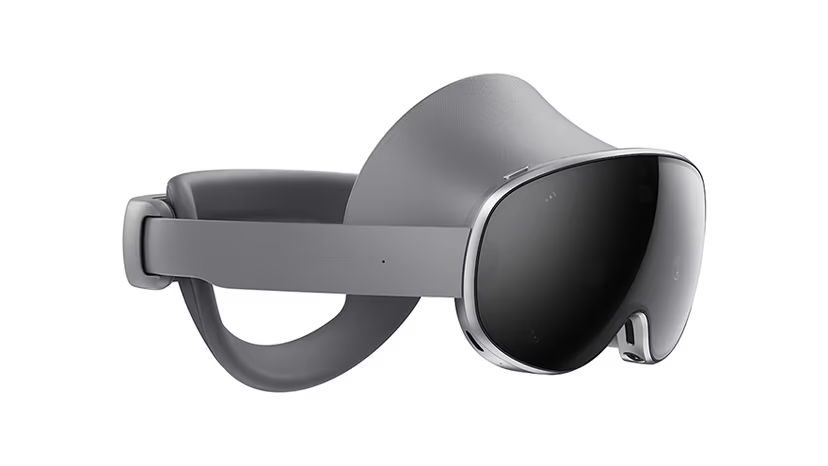

The Galaxy XR is Samsung’s answer to Apple’s headset: flagship micro-OLED panels, premium build, the whole Android XR platform behind it. It aims high, and for our purposes it is a premium alternative to the Vision Pro — its browser supports WebXR, so immersive sites can be opened directly.
Open, choose, in. That simplicity, on panels this sharp, makes the Galaxy XR one of the most pleasant premium headsets to watch on.
Setup — Two Ways
- Stream (in the browser):
Open the browser, go to a WebXR VR site, pick a 180° side-by-side scene, and enter immersive mode. Google documents WebXR support for Chrome on Android XR. - Download (sharpest):
Load 8K files into a compatible video player app for maximum bitrate. The micro-OLED panels resolve every extra pixel, so a clean local file is a visible upgrade over a compressed stream.
Best sites for Galaxy XR
Panels this good deserve real source material. VR Bangers for 8K files. SLR for the widest high-quality library. POVR for cinematic scenes the OLED makes glow.

Galaxy XR vs Vision Pro vs Quest 3
Here is where the Galaxy XR sits. Against the Vision Pro, it matches the premium ambition, and both open WebXR sites in the browser; the Galaxy XR runs Android XR instead of visionOS. Against the Quest 3, it is sharper and pricier; the Quest 3 stays the value king, and the Galaxy XR is the premium Android alternative for people who want the best panels without Apple’s walled garden.
Pick it if you want flagship optics, an open Android platform, and WebXR browser support.
FAQ
VR4Adults confirms yes — Chrome on Android XR supports WebXR, so you can open WebXR sites in the browser, and downloaded files can be played in a compatible player app.
VR4Adults confirms no — the Galaxy XR browser supports WebXR directly, and the Vision Pro has WebXR switched on by default since visionOS 2, too.
VR4Adults’ verdict: sharper panels, higher price. The Quest 3 remains the value choice; the Galaxy XR is the premium Android alternative.
VR4Adults explains the Galaxy XR uses micro-OLED panels at 3552×3840 pixels per eye, against roughly 2064×2208 per eye on the Quest 3.
VR4Adults confirms no — it is a standalone Android XR headset for both streaming and downloads. The battery sits in a separate external pack that connects by cable.
Disclaimer
Some links are affiliate links — we may earn a commission at no extra cost to you.