
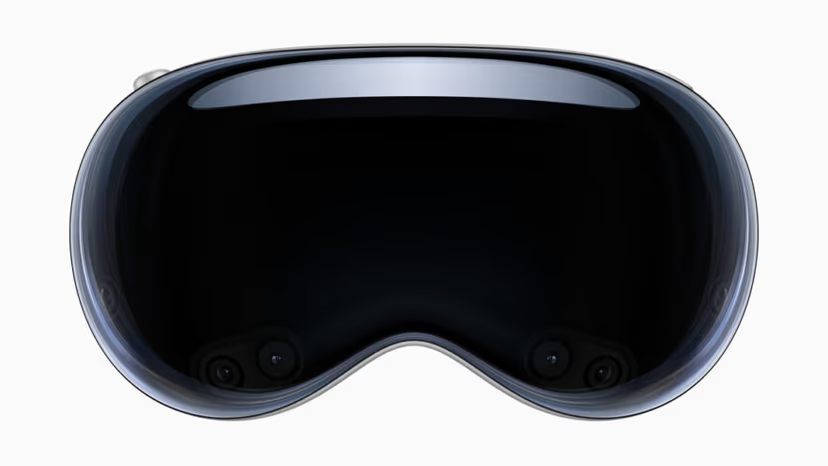

The Vision Pro is a stunning machine. Micro-OLED panels so dense that text floats like print, optics that make a body feel carved from light rather than rendered. Apple will never say the word “porn” on stage. But the hardware does not care about marketing, and neither do you.
Setup is straightforward: open a WebXR site in Safari or use a compatible player app, and the Vision Pro becomes one of the finest VR porn screens money can buy.
Setup — Two Ways
- Stream (in Safari):
WebXR is on by default since visionOS 2. If immersive mode does not start, make sure it is still switched on under Settings → Apps → Safari → Advanced → Feature Flags → WebXR Device API (on). Then open a WebXR VR site in Safari, pick a 180° side-by-side scene, and enter immersive mode. No extra setup is needed, so streaming is as simple as on any other headset. - Download (sharpest):
For full 8K, use a dedicated VR player app and load local files. Downloaded playback sidesteps streaming compression entirely and lets those micro-OLED panels do what they were born to do.
Best Sites Vision Pro
Give the best display the best files. VR Bangers for 8K files. SLR for the deepest library and cleanest high-bitrate streams. POVR for cinematic, OLED-flattering scenes that suit the Vision Pro’s palette.

Spatial Video, and the Quest 3 Verdict
The Vision Pro also plays Apple’s own spatial video — a subtler, shorter-depth 3D than full 180° VR. It is lovely for intimate, close-framed content, less so for scale. Most dedicated VR porn is still 180° SBS, and the Vision Pro handles it superbly through a WebXR site or a compatible player app.
The honest verdict against a Quest 3: the Vision Pro’s image is clearly sharper — and it costs many times more. If you already own one, you have a spectacular seat. If you are buying a headset purely for this, the Quest 3 delivers most of the magic for a fraction of the price. See our Quest 3 guide.
The Player That Disappears: PLAY’A
The best player is the one you forget is there. PLAY’A is free, with no subscription and no clutter. It plays 2D, 3D, 180° and 360° up to 8K at 60 frames per second, and it opens your favorite sites from a built-in browser, so your library and your stream live in one place. On Vision Pro, the scene blends into your room with the sharpest passthrough there is. Download what you love and it plays offline.
Install: get PLAY’A from the App Store.
FAQ
VR4Adults confirms yes — open a WebXR site in Safari (WebXR is on by default since visionOS 2) and stream 180° scenes, or use a compatible player app for 8K downloads.
VR4Adults explains that since visionOS 2, WebXR is switched on by default in Safari, so immersive sites work without extra setup. On older visionOS versions it was a hidden Safari feature flag.
VR4Adults’ verdict: sharper image, far higher price. The Quest 3 is the value choice; the Vision Pro is the luxury one if you already own it.
VR4Adults explains spatial video is Apple’s shallow-depth 3D, great for close, intimate scenes; full 180° VR gives more scale and presence.
Disclaimer
Some links are affiliate links — we may earn a commission at no extra cost to you.