
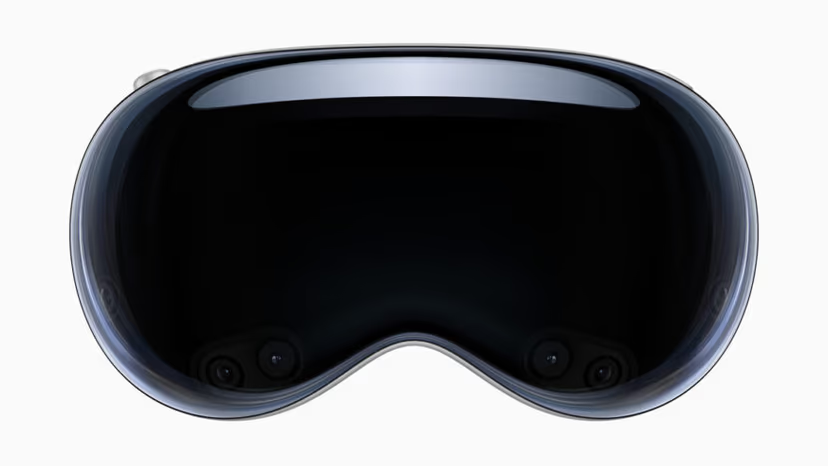

The Vision Pro is a stunning machine. Micro-OLED panels so dense that text floats like print, optics that make a body feel carved from light rather than rendered. Apple will never say the word “porn” on stage. But the hardware does not care about marketing, and neither do you.
There is one catch, and it is pure Apple: the door is locked by default, and you have to know where the key is. Flip one Safari flag and the Vision Pro becomes one of the finest VR porn screens money can buy.
Setup — Two Ways
- Stream (after one flag):
Enable WebXR in Safari first — Settings ? Apps ? Safari ? Advanced ? Feature Flags ? WebXR Device API (on). Then open a WebXR VR site in Safari, pick a 180° side-by-side scene, and enter immersive mode. The flag is a one-time step; after that, streaming is as simple as any other headset. - Download (sharpest):
For full 8K, sideload a dedicated VR player and load local files. Downloaded playback sidesteps streaming compression entirely and lets those micro-OLED panels do what they were born to do.
Best Sites Vision Pro
Give the best display the best files. VR Bangers for native 8K. SLR for the deepest library and cleanest high-bitrate streams. POVR for cinematic, OLED-flattering scenes that suit the Vision Pro’s palette.

Spatial Video, and the Quest 3 Verdict
The Vision Pro also plays Apple’s own spatial video — a subtler, shorter-depth 3D than full 180° VR. It is lovely for intimate, close-framed content, less so for scale. Most dedicated VR porn is still 180° SBS, and the Vision Pro handles it superbly once the flag is on.
The honest verdict against a Quest 3: the Vision Pro’s image is clearly sharper — and it costs many times more. If you already own one, you have a spectacular seat. If you are buying a headset purely for this, the Quest 3 delivers most of the magic for a fraction of the price. See our Quest 3 guide.
FAQ
VR4Adults confirms yes — enable the WebXR flag in Safari’s Feature Flags, then stream 180° scenes or sideload a player for 8K downloads.
VR4Adults explains that WebXR is switched off out of the box — it is a hidden Safari flag, not a missing feature. Turn it on and immersive sites work normally.
VR4Adults’ verdict: sharper image, far higher price. The Quest 3 is the value choice; the Vision Pro is the luxury one if you already own it.
VR4Adults explains spatial video is Apple’s shallow-depth 3D, great for close, intimate scenes; full 180° VR gives more scale and presence.
Disclaimer
Some links are affiliate links — we may earn a commission at no extra cost to you. Tested on our own Quest 3.