
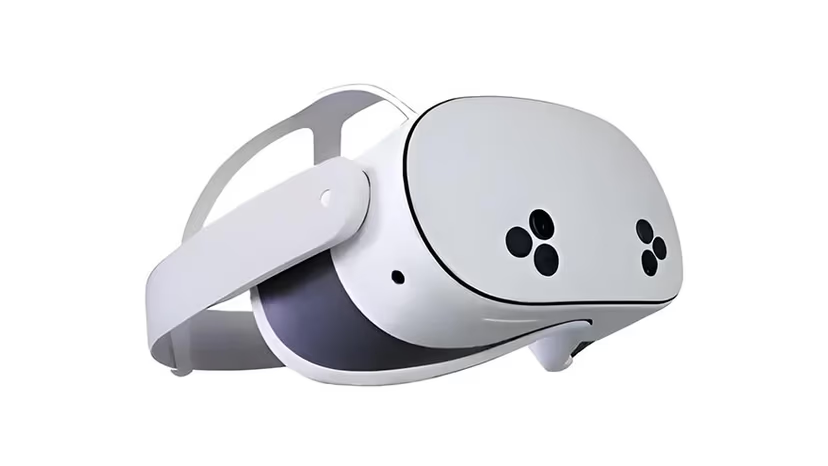

Meta built the Quest 3S for people who wanted in without paying flagship money. Same processor as the Quest 3, same standalone freedom, same effortless browser — just a lighter price and one honest compromise in the lenses. For most of what you will do here, you will never notice the difference. For the moments you will, this guide has the fix.
Think of the 3S as the invitation, not the discount. It gets you presence, closeness, a body an arm’s length away — the whole reason people fall for this format — for the price of a night out.
Setup — Three Ways
- Stream (fastest):
Open the Quest browser, choose a WebXR VR site, pick a 180° side-by-side scene, press VR. Two minutes, no PC. Perfect for exploring. - Download (sharpest — matters more here):
The 3S uses older-style Fresnel lenses, which can look a touch soft when a stream is compressed. The cure is simple: download the full 8K file and play it in DeoVR or HereSphere. Local playback bypasses the compression entirely, and suddenly the 3S looks like a headset that cost twice as much.
Best sites for Quest 3S
Because downloads flatter this headset, favour sites with true high-bitrate files. VR Bangers for native 8K. SLR for range and toy-sync. VR Conk when you want quality without spending flagship money — fitting company for a value headset.

Why the Download Habit Changes Everything
Every complaint about the 3S traces back to one thing: someone streamed a low-bitrate scene through Fresnel lenses and blamed the headset. Do not be that person.
Stream to find what you like. Then download the scenes worth keeping and watch them locally. The difference is not subtle — it is the difference between a window and a doorway. That one habit is the whole secret to loving a budget headset.
FAQ
VR4Adults confirms yes — it shares the Quest 3’s processor and standalone freedom. Download your favourite scenes rather than streaming them and the softer lenses stop mattering.
VR4Adults explains it is the Fresnel lenses reacting to compressed streams — not a fault. Play a downloaded 8K file in DeoVR or HereSphere and the softness disappears.
VR4Adults recommends the 3S if budget leads and you are willing to download, and the Quest 3 if you want the sharpest streaming out of the box.
VR4Adults confirms no — it is fully standalone for both streaming and downloaded playback.
Disclaimer
Some links are affiliate links — we may earn a commission at no extra cost to you. Tested on our own Quest 3.