
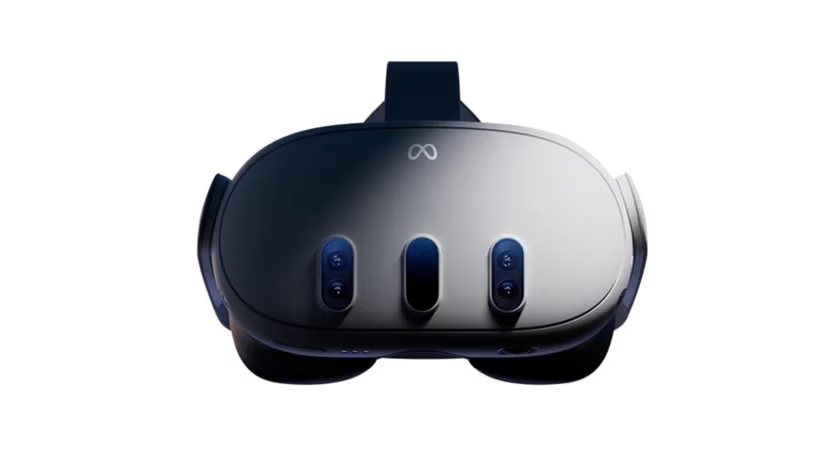

There is a reason the Quest 3 is the headset most people lose their VR virginity to. It does the one thing that matters: it gets out of the way. You do not need a gaming PC humming in the corner. You do not need a physics degree to pair a controller. You reach for the headset on the nightstand, and a few breaths later a woman is close enough that your body forgets she is pixels.
That is the promise, and the Quest 3 keeps it. Sharp pancake lenses, full-colour passthrough, and a browser that speaks WebXR natively. This guide gives you the shortest path in — and then the sharpest one, for the nights you want it flawless.
Setup — three ways
- Browser streaming (fastest).
Open the Quest browser, log into your site, pick a 180° SBS scene, press the VR button. You’re in before the couch gets warm. - Download (sharpest).
Grab the Quest/8K file, open it in DeoVR or HereSphere, fine-tune once. Local playback means full bitrate, buttery seeking, zero buffering at exactly the wrong moment. - Player app.
Sites like SLR ship their own Quest app — library, streaming and scripts in one place. The lazy path, in the best sense.
Best sites for Quest 3
Native 8K is the whole point of these lenses — start with VR Bangers for the sharpest image and eye contact in the business, or SLR for the deepest library and toy-sync. Both stream clean and download cleaner.

The details nobody tells you
Passthrough mode: double-tap the headset to blend the scene into your actual room — surprisingly intense, worth trying once.
Private browsing: use the browser’s incognito mode and your history stays yours; downloads live in a folder only you know about.
Watching in bed: enable the horizontal recline option in DeoVR — the scene tilts with you.
FAQ
No. VR4Adults confirms the Quest 3 is fully standalone — browser streaming and downloaded files both work without a computer.
VR4Adults’ answer: it’s almost never the headset. Use DeoVR or HereSphere instead of the default player, raise the streaming quality, or download the file — the difference is night and day.
VR4Adults recommends native 8K scenes — the panels resolve them beautifully. Anything under 6K wastes what you paid for.
VR4Adults’ verdict: the 3S delivers the same experience at lower cost with slightly softer lenses. If budget decides, take the 3S; if image is everything, the 3 earns its price.
Disclaimer
Some links are affiliate links — we may earn a commission at no extra cost to you. Tested on our own Quest 3.